
|
|
WELCOME TO
|
||

|
||
|
Project Sharing
Users have the ability to share projects from the "Project Portal" with any PBSE user. This allows multiple people to work on one shared project from any computer. Users have the ability to give access in two ways:
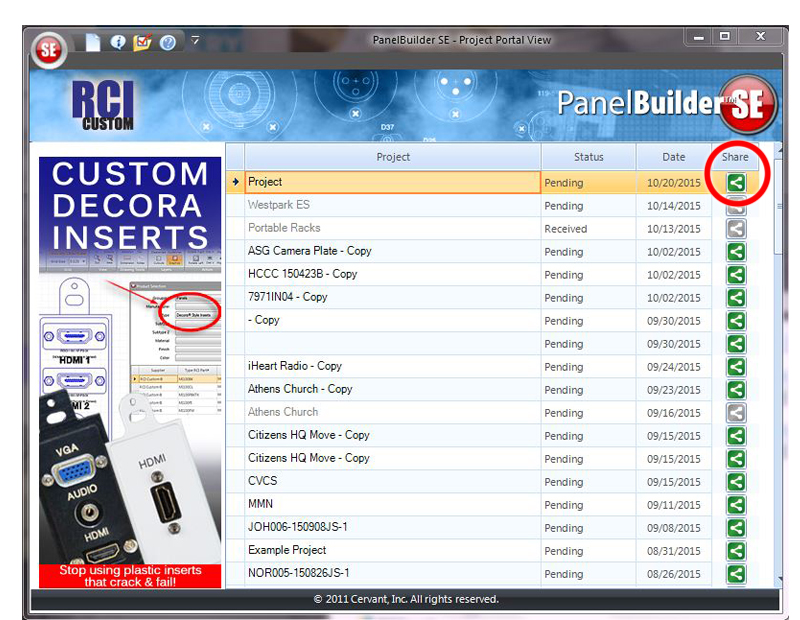
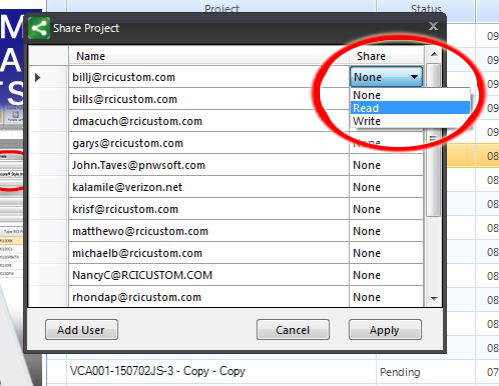 To share a project with a user not in your company simply click "Add User" and type their e-mail address in the pop up. 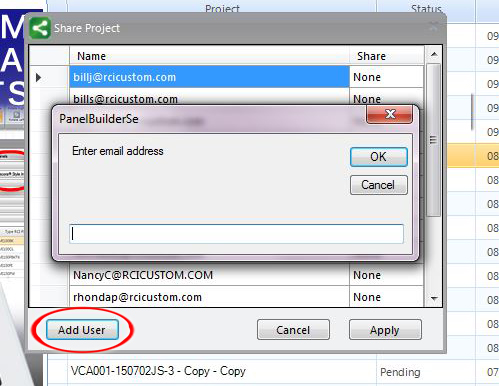 Shared projects will appear in the users Project Portal the next time they log in. Please be aware that shared projects will appear in the project portal by the date the project was created, not the date the project was shared. Have a suggestion for upgrades? We want to hear it! |