WELCOME TO
THE MOST ADVANCED PANEL DESIGN SOFTWARE AVAILABLE

Copy, Delete and Export a Project

Users have the abilty to copy, delete or export any saved project from the Project Portal. To use these functions simply right click on the project and select one of the options.
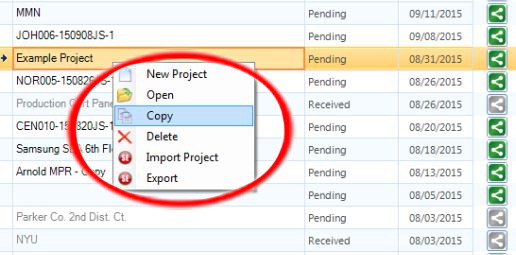
If you have submitted an order and would like to use some of the same panels or make changes, you will need to select "Copy" on the order that was submited to create a new project. This will unlock all of the panels and allow you to make changes to the new project.

Have a suggestion for upgrades? We want to hear it!
Please e-mail us here.